Combination Logo
Combination Logo
News Icon
AI models included. No API key needed.

Fast, Local, Secure.Simply the best pocket AI.

Local AI on your device, always a shortcut away. Dictate into your apps and transform selected text with Heynds.

Try it against your current dictation app.

30 days. No card. $59. One payment.No subscription or token fees for local dictation and text editing.

Available on:
Apple Icon
macOS
Windows
User avatar
User avatar
User avatar
User avatar
User avatar

…Professionals, students, and creators

use Heynds every day to write faster and think clearer.

Your words stay on your computer.

Local dictation and text editing process your voice and text on your computer. They do not upload content to an AI service.

Stars Icon

Download once. Run on your computer.

Setup downloads the AI models for you. Your computer transcribes your voice and edits your text, with no API key required.

Lock Icon

Local history

Your transcription and transformation history stays on your device until you delete it. Audio recordings are not stored in history.

Two superpowersin one
Keyboard Icon
shortcut.

Speak to write with voice dictation

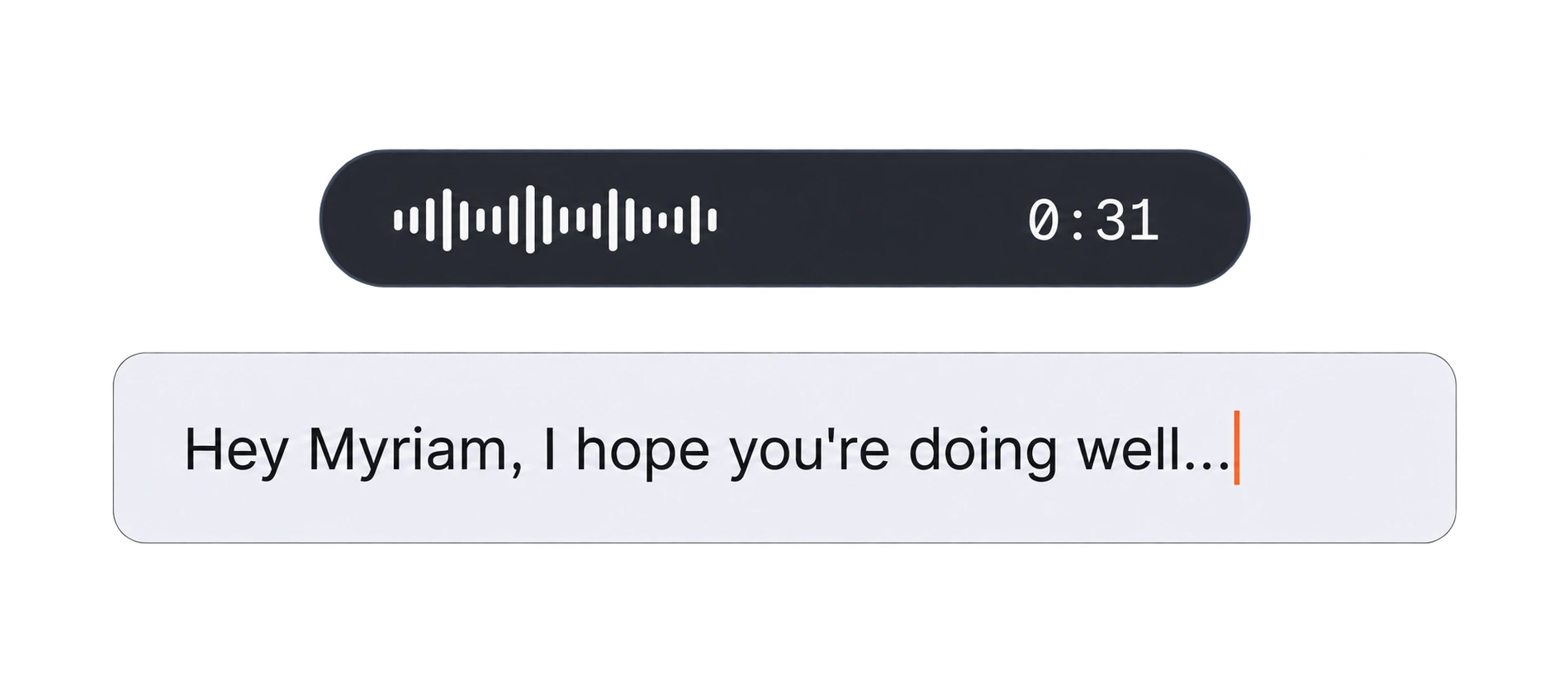
Speak into your microphone to write at your cursor. Heynds transcribes your voice and formats the text on your computer.

Try voice mode

Rewrite selected text

Rewrite, improve, summarize, or transform selected text with a shortcut. Local models run on your device.

Try text editing

Instant AI,one shortcut away
Stars Icon
.

Discover a new way to interact with AI, right inside your apps. Dictate your ideas and transform selected text with a shortcut, all on your device.

Microphone Icon

Instant voice-to-text

Speak naturally and Heynds transforms your voice into clear, polished text instantly.

Correct Icon

Rewrite anything

Transform raw notes into professional writing in seconds.

Edit Icon

Custom instructions

Give selected text your own instruction to get the result you need.

Translations Icon

Multilingual

Dictate in multiple languages and translate selected text into any other language.

Works Everywhere

Use Heynds in your apps on macOS and Windows.

Lock Icon

Privacy and Security

Dictation and text transformations run on your computer. Your history stays on this device.

Work in any appwithinstant AI
Thunder Icon
.

Heynds lives on your device. Open any app, press a shortcut, and access instant AI.

Close Icon
Before

Writing shouldn't drain your energy.

  • Email replies take forever

  • You lose ideas before you type them

  • Staring at a blank page

  • Rewriting content is exhausting

  • Constant context switching

Writing shouldn't drain your energy.
Tick Icon
After

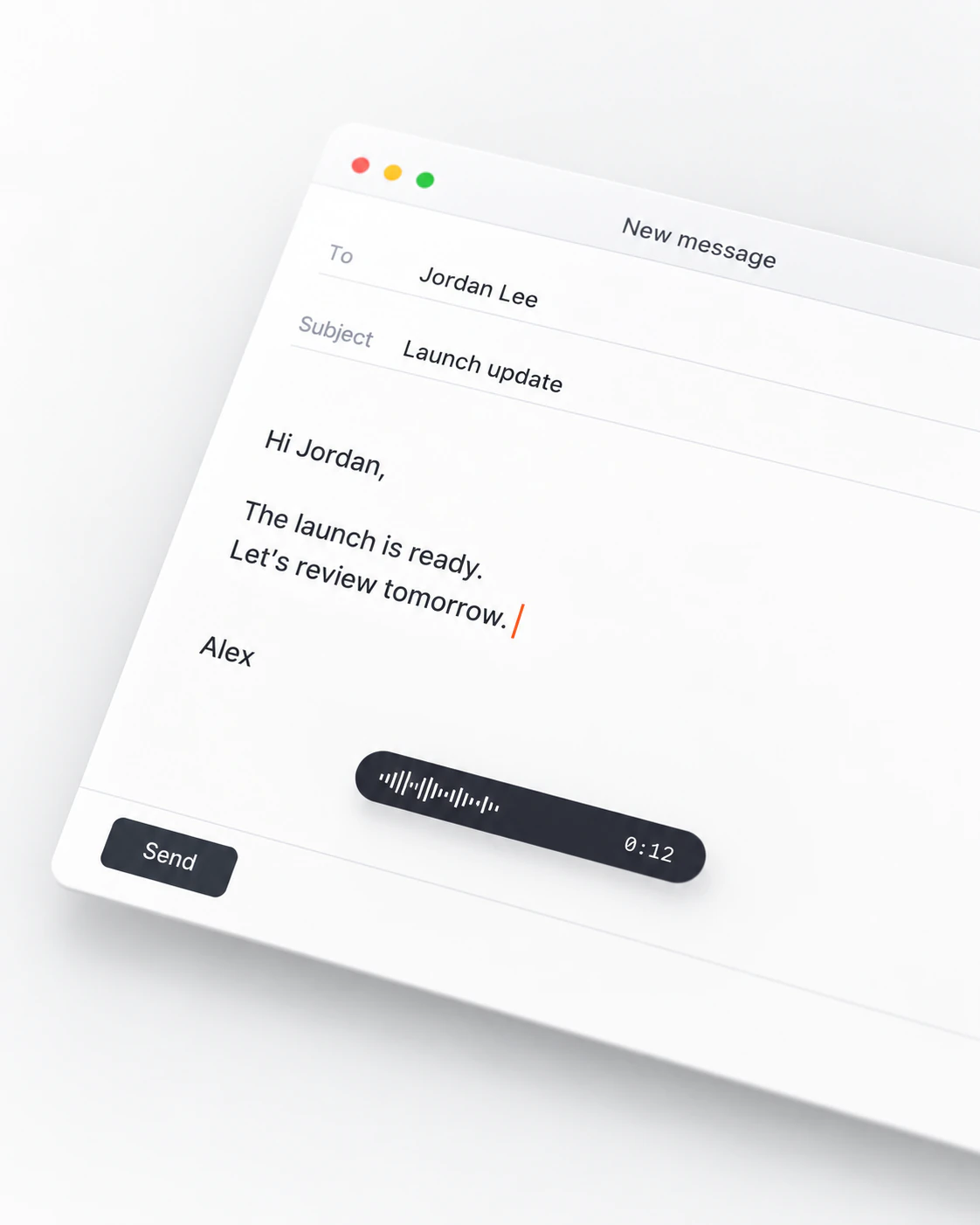
Dictate and edit without leaving your apps.

  • Turn speech into text at your cursor

  • Rewrite selected text with a shortcut

  • Write without opening ChatGPT or changing tabs

  • Capture ideas as soon as they appear

  • Use your voice instead of typing every word
Dictate and edit without leaving your apps.

Speed you can feel.

Writing
45 WPM
Voice3x faster
135 WPM

*Based on a Stanford study Study — WPM = Words Per Minute

Try it free.Keep it for $59.

Pay for the app once. Your computer runs the included AI models, so local features need no paid AI service.

Available on:
Apple Icon
macOS
Windows
NO CREDIT CARD REQUIRED

Free trial

Use your own voice, vocabulary, and apps. Compare the results free for 30 days.

$0for 30 days

No automatic charge.

  • Tick Icon
    Dictate into your apps
  • Tick Icon
    Rewrite and translate selected text
  • Tick Icon
    Yours for 30 days

Lifetime license

Your computer runs the AI. Local dictation and text editing have no usage charges.

$59USD · pay once

Taxes included. No subscription or token fees for local features.

  • Tick Icon
    Every local feature, yours for life
  • Tick Icon
    Future app updates and shipped model upgrades included
  • Tick Icon
    Use on 2 personal devices

Your license includes the model upgrades we ship for supported computers. See model changes

Keep the tools. Skip another subscription.

Local dictation, rewriting, and translation for a single payment.

First-year paid plan cost

USD · annual billing for subscription plans

Heynds
$59 one time
Aqua Voice Pro
$120/year
Wispr Flow Pro
$144/year
Willow Pro
$144/year
Typeless Pro
$144/year

Last price check: October 2026

Instant AI forall workflows.

AI writing assistant for professionals. From founders to developers, everyone works faster with instant AI on their device.

Founders,
create more in less time with voice-to-text AI on your device.

  • Draft posts, emails, and ideas instantly.
  • Capture ideas as soon as they appear.
  • Draft with your voice instead of typing every word.
  • Turn spoken ideas into text in your apps.

Most used in:

  • slack
  • notion
  • gmail
  • linkedin
  • x
Founders

Questions?
Questions Icon
We have the answers.

What is Heynds, and what can I do with it?
Heynds brings voice dictation and AI text editing to the apps you already use. Place your cursor and dictate, or select text and use a shortcut to correct, rewrite, summarize, or translate it. Both features run on your device.
Do my voice and text stay on my device?
Dictation and text transformations run locally. Heynds does not upload their content for these features or use it to train shared models.

Auto-improvement depends on your app version. Versions 1.6 and 1.7.0 (22) use on-device review. Other versions can offer optional cloud review.

Optional cloud review is off by default. If you enable it, dictation excerpts, app names, and available screen text go to your chosen provider. That provider's data policies apply.
How much does Heynds cost? Is it a subscription?
$59 USD, paid once, including taxes. Your computer runs the included AI models, so local dictation and text editing have no subscription or token fees. The lifetime license includes future app updates and does not renew automatically. Optional cloud services are separate and follow their provider's billing terms.
Can I try Heynds before I buy?
Yes. The 30-day trial includes all local features, with no card and no automatic charge. It starts when your first trial key is issued; requesting another key does not restart it. After it ends, your history remains accessible. A lifetime license restores dictation and text transformations.
Will Heynds work on my computer?
The released app requires macOS 26 and Apple Silicon. A Windows x64 preview also runs dictation and text transformations locally. It needs a processor with AVX2, FMA, F16C, and BMI2 support.

The Windows preview is unsigned. Please contact support before purchasing for Windows. Heynds has no mobile or Linux app.
Can I use Heynds without internet?
Yes, after model downloads and license activation. Local dictation and text transformations work offline for up to seven days between successful license checks. Reconnect to validate your license, download updates, or use optional cloud review. Offline access never extends a trial's expiry.
More questions
Does Heynds work in the apps I already use?
Use Heynds in apps and browser text fields where you can type, including email, documents, chat, and code editors. Dictation pastes text at your cursor. Text transformations use your selection.

Some protected or unusual fields block text access or paste. Try a normal text field, check permissions, or contact support.
How do I get started, and which permissions do I need?
Download Heynds, activate your trial or license key, and follow Setup to download the local models and choose your shortcuts. Setup shows the model download size.

Allow microphone access for dictation. On macOS, Accessibility access lets Heynds read selected text and paste results into your apps.
Which languages can I dictate or translate?
The local speech model supports 30 languages, including English, French, Spanish, German, Portuguese, Arabic, Chinese, and Japanese. Recognition detects the spoken language.

Text shortcuts translate into English or French. For another language, select your text and enter an instruction such as "Translate into Italian." Results vary by language.
How accurate is dictation, and how can I improve it?
Accuracy depends on your language, microphone, background noise, and vocabulary. Speak naturally into a clear microphone. Add names and specialist terms in Voice settings. Filler-word cleanup and number formatting are configurable.

Use the trial with your own apps and accent. Review important names, figures, and instructions before sending.
Can Heynds learn names and technical words?
Yes. Add useful names, product terms, and context in Settings > Voice > Recognition context. Heynds uses these as local recognition hints.

You can edit learned terms and control their automatic replacements. Optional cloud review can suggest corrections, but it requires consent and your approval of each proposed term.
Can I change tone, formatting, or the language of selected text?
Yes. Select your text and open Heynds with your text shortcut. Choose correction, improvement, translation, or a custom instruction. For example: "Make this more concise," "Turn this into bullet points," or "Use a more professional tone."

Choose whether results replace the selection or appear below it in Text settings.
Can I save my own writing instructions?
Yes. Save preferences in Settings > Text > System instructions to apply them to future text transformations. Use them for spelling conventions, tone, or writing style. You can also enter a custom instruction for a single task. A saved library of separate named commands is not available.
Do I need ChatGPT, an API key, or another AI subscription?
No. Local dictation and text transformations work with Heynds' included local models. They need no ChatGPT subscription or API key.

Optional cloud review uses an installed Claude Code or Codex CLI and your own account. Its provider's access and billing terms apply.
How many devices can I use? Does my history sync?
One license covers two device activations for one person. Activate the same key on each supported computer. History, learned terms, and settings remain on each device; Heynds does not sync them automatically. For a device change or activation problem, contact support.
Can Heynds record meetings or transcribe audio files?
Heynds focuses on live microphone dictation, with recordings limited to four minutes. You can dictate notes or select existing meeting notes to summarize them. The current app has no dedicated meeting recorder, speaker identification, or audio/video file import.
Where is my history stored, and can I delete it?
Transcriptions and text results stay on the device where you create them. Delete one result or clear your history in the app. Audio recordings are not saved in history.

Deleting history does not reset learned terms or pending review suggestions. If you enable cloud review, local deletion does not control the provider's retention.
How is my data protected?
License requests use HTTPS. License credentials use the device's secure credential storage. History stays in local files and has no additional encryption layer from Heynds.

Use your device's disk encryption and account protections for data at rest. Optional cloud review follows your chosen provider's security and data-use policies.
Which AI models does Heynds use?
Qwen3-ASR handles dictation. Qwen3.5 formats dictation and transforms selected text. Heynds downloads the local models during Setup and runs them on your device. You do not need to choose or manage AI providers for these features.
Where can I find my license or manage an existing subscription?
Use the Polar customer portal with your purchase email to find your order and license details. Existing licenses and subscriptions keep their original terms. You can manage an existing subscription in Polar. New lifetime licenses do not renew automatically. For key or activation issues, contact support.
How can I get help or suggest a feature?
Use the support portal for questions, bugs, and feature requests. For a bug, include your app version, operating system, and steps to reproduce it. Keep private text and license keys out of screenshots.
Are future model upgrades included?
Yes. Your lifetime license includes future app updates and the model upgrades we ship for supported computers. Some upgrades require a new model download. Release notes document model changes and setup steps. This does not promise support for every new model.

Local AI. No monthly bill.

A local writing tool for people who want dictation, text editing, and a one-time license.

I want my words to stay on my computer.

Local dictation & text tools.

Core features use local models. Optional cloud review is separate.

I do not want another monthly bill.

$59. One payment.

A lifetime license for local features, future app updates, and shipped model upgrades.

I use more than one computer.

Two personal devices.

One license for one person. History stays on each device.

I want to try it with my own work.

30 days. No card.

Try all local features before you choose a lifetime license.